

Last Updated: December 5, 2025
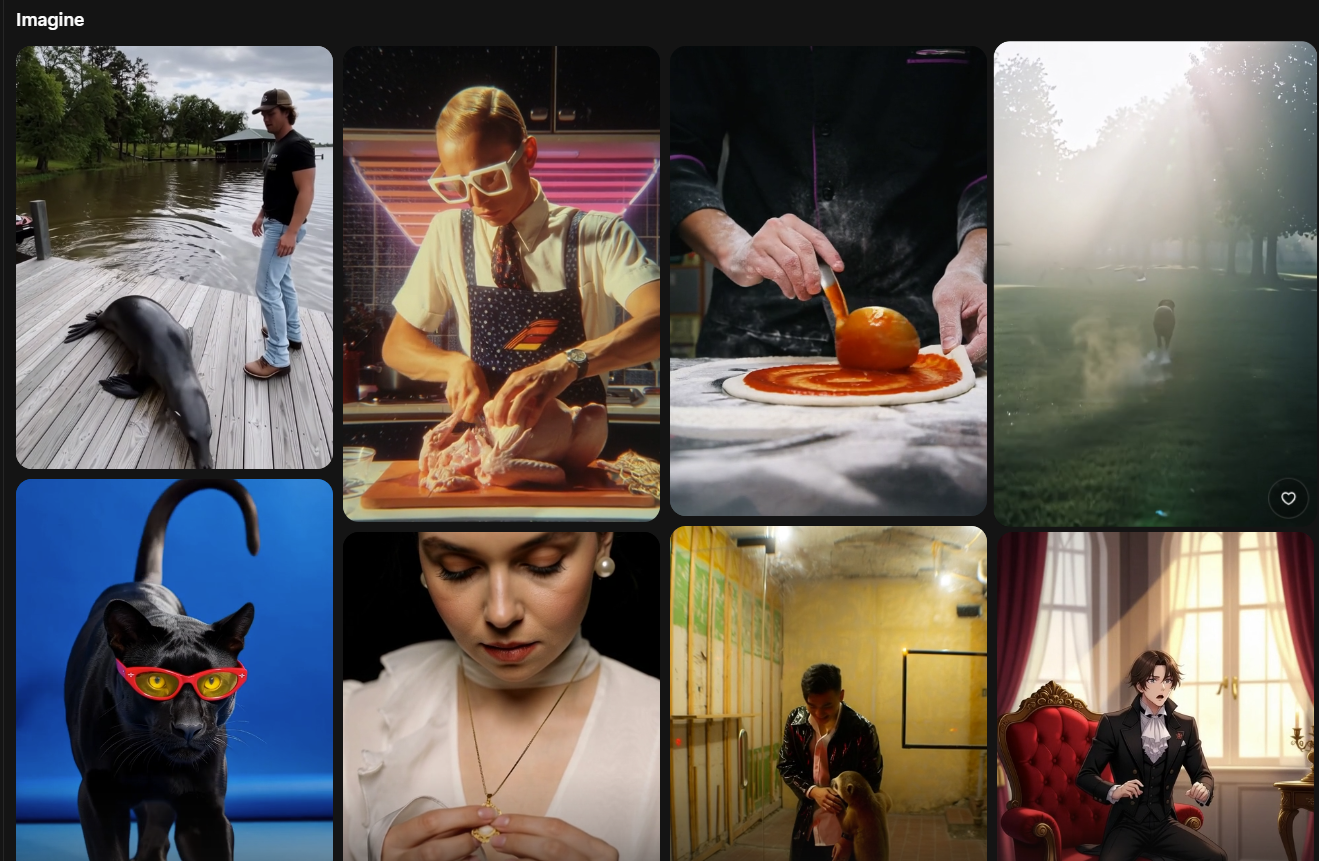
The 2025 update to Grok Imagine is the most ambitious leap the platform has taken since launch. What started as a simple text-to-image tool has evolved into a robust system capable of generating cinematic visuals, short synchronized videos, and stylized creative content.
But with massive upgrades come questions:
How good is it really?
Where does it shine?
Where does it fail?
Should creators rely on it?
And what about the controversies around moderation?
This is your full, balanced, up-to-date breakdown of everything you need to know about Grok Imagine’s newest update.
1. Grok Imagine Today: What It Actually Is Now
Grok Imagine is xAI’s multimodal visual generator that produces:
- still images
- stylized illustrations
- concept art
- short video clips
- audio-synced animations
- image-to-video transformations
The 2025 update dramatically enhanced the system, pushing Grok into the competitive space alongside Midjourney, DALL·E, and Gemini’s Imagine model.
The platform now emphasizes:
- faster generation
- more stable visuals
- better facial structure
- improved motion
- synchronized audio
- cleaner animations
- more accurate style reproduction
It’s designed to be simple, fast, and creator-friendly — especially for people who want to produce content without complex editing software.
2. The Biggest New Features in Grok Imagine (2025 Update)
Here are the confirmed upgrades and enhancements that define the new version:
2.1. Short Video Generation
Grok can now create short animated clips directly from text prompts. These are usually around 6–15 seconds and work best for:
- social media reels
- promo teasers
- looping scenes
- animated concepts
- stylized video ideas
Creators can upload images and ask Grok to animate them, add motion, or transform them into new scenes.
2.2. Built-In Audio + Visual Sync
This is the most impressive part of the update.
Grok Imagine now generates audio and visuals together in one pass:
- background music
- ambient sound
- subtle sound effects
- synced audio beats or tones
You no longer need to edit audio separately — a huge advantage for quick video creation.
2.3. Improved Output Quality
The new update delivers:
- cleaner lighting
- smoother motion
- fewer distortions
- richer textures
- better detail handling
- upgraded portrait faces
This improvement doesn’t make Grok perfect, but it significantly reduces weird artifacts like distorted hands, melting objects, or unstable lighting.
2.4. More Flexible Styles
Grok Imagine now better understands prompts involving:
- cinematic realism
- anime
- watercolor
- 3D shading
- digital illustration
- minimalist poster art
- neon cyberpunk
- Pixar-style animation
- hyper-stylized characters
This allows creators to experiment across a wide artistic range.
2.5. Tiered Access & More Control
Advanced features (higher resolution, more monthly generations, video mode, audio sync) are tied to higher subscription levels. Free users can still test basics, but full power sits behind Premium tiers.
3. Strengths: What Grok Imagine Does Really Well
Many creators who tested the update highlight specific strengths:
3.1. Rapid Ideation
Need a concept? A storyboard? A mockup?
Grok produces visuals fast — perfect for:
- designers
- marketers
- world-builders
- writers
- indie developers
You can generate 10 variations in minutes instead of hours.
3.2. Audio + Video in One Step
The built-in audio sync is one of Grok’s biggest advantages over competitors. For social media creators, it removes the need for an editor.
This makes it ideal for:
- TikTok creators
- YouTubers
- advertisers
- educators
- influencers
Quick, publish-ready content is a massive win.
3.3. User-Friendly Interface
You don’t have to be a technical expert.
The interface is simple:
- Type prompt → Get result → Regenerate or tweak
- Upload image → Apply edits → Animate
- Apply style presets → Produce final clip
The entire workflow is smooth and beginner-friendly.
3.4. Great for Social Content and Micro-Animations
Short clips with stylized motion and atmospheric audio are perfect for:
- intros
- transitions
- quote reels
- product teasers
- cinematic loops
- daily content
This is where Grok excels most.
4. Limitations Creators Should Expect (Honest Breakdown)
Even with improvements, Grok is far from flawless.
You should expect these constraints:
4.1. Short Clips Only — Not Full Videos
It cannot:
- create long scenes
- animate dialogue-heavy sequences
- maintain plot consistency
- produce multi-minute content
It’s built for microcontent, not filmmaking.
4.2. Artifacts Still Occur
Though reduced, artifacts still show up in:
- hands
- complex backgrounds
- crowd scenes
- extreme camera angles
- small text on screen
- multi-subject motion
You should double-check every clip before publishing.
4.3. Style Consistency Across Clips Is Limited
Unlike advanced professional tools:
- characters may not look identical from clip to clip
- clothing may shift
- lighting style may vary
- facial identity may fluctuate
It’s better for concept art than for fully coherent series.
AI-Powered Search: How the Next Generation of Search Engines Will Change the Web
4.4. Not All Prompts Translate Well
Certain requests still confuse the model, such as:
- scientific diagrams
- technical floor plans
- precise typography
- highly specific actions
- detailed multi-step scenes
Grok is improving here, but it’s not perfect.
5. The Big Controversy: “Spicy Mode,” NSFW Content & Regulation Pressure
One of the most widely discussed topics around Grok Imagine is its loose moderation, especially compared to more restrictive platforms.
Reports from users and journalists highlighted:
- A “Spicy Mode” that generated adult or explicit imagery
- The risk of non-consensual deepfakes
- Weak age-verification mechanisms
- Growing concern from safety and consumer protection groups
Why this matters:
If you’re using Grok for business or public brand work, association with a platform under scrutiny can create risk.
Creators should be cautious when:
- generating models based on real human likeness
- producing anything that resembles celebrities
- handling adult themes
- creating sensitive imagery
Even unintentional output can cause serious reputational issues.
6. Best Ways to Use the New Grok Imagine (Practical Examples)
Here are real creator workflows where Grok Imagine excels.
6.1. Social Media Clips
You can generate:
- deep atmospheric loops
- creative teaser trailers
- cinematic title animations
- stylized character motion
- animated quotes
- aesthetic background scenes
Perfect for reels and shorts.
6.2. Quick Product Animations
Upload a product photo →
Ask Grok to animate it →
Add a simple caption →
Done.
Great for:
- small businesses
- ecommerce owners
- dropshipping stores
- ad creators
6.3. Storyboards & Motion Concepts
If you’re writing a story, making a game, or planning a film, Grok Imagine helps generate:
- character ideas
- environmental concepts
- scene mood shots
- basic animated moments
Fast and useful for pre-visualization.
6.4. Educational Micro-Animations
Educators can use Grok to produce:
- quick explainers
- short animated examples
- illustrative loops
- creative visual metaphors
This saves hours of production time.
7. Safety Guidelines for Using Grok Imagine Responsibly
With great creative power comes the possibility of misuse. Follow these rules:
- Never generate images of real people without consent.
- Avoid anything that resembles minors, even accidentally.
- Do not rely on AI for sensitive or legally risky content.
- Always inspect outputs before posting publicly.
- Keep proof of your generation process (for safety & transparency).
This protects you from legal, ethical, and platform-related issues.
8. Should You Use Grok Imagine in 2025?
Use it if you want:
- short creative video clips
- social media content
- concept visuals
- fast idea exploration
- mixed-style experiments
- simple animations with pre-baked audio
Don’t rely on it for:
- long stories
- brand-locked identity characters
- commercial ads requiring perfect accuracy
- content involving real people
- medical or scientific illustrations
- professional filmmaking
Grok Imagine is best viewed as a powerful creativity booster, not a fully professional production engine — at least not yet.
Conclusion
Grok Imagine’s 2025 update marks a huge shift in its capabilities. It introduces short video generation with synchronized audio, improved visual rendering, more flexible styles, and a smoother user experience. It’s fast, fun, creative, and extremely useful for short-form creators.
At the same time, real limitations remain — especially around consistency, accuracy, artifacts, and moderation concerns.
If you’re a creator who wants a tool to brainstorm ideas, test styles, create quick reels, or build small animated moments, Grok Imagine is a fantastic addition to your toolkit.
Just use it responsibly, understand the boundaries, and pair it with human judgment.


